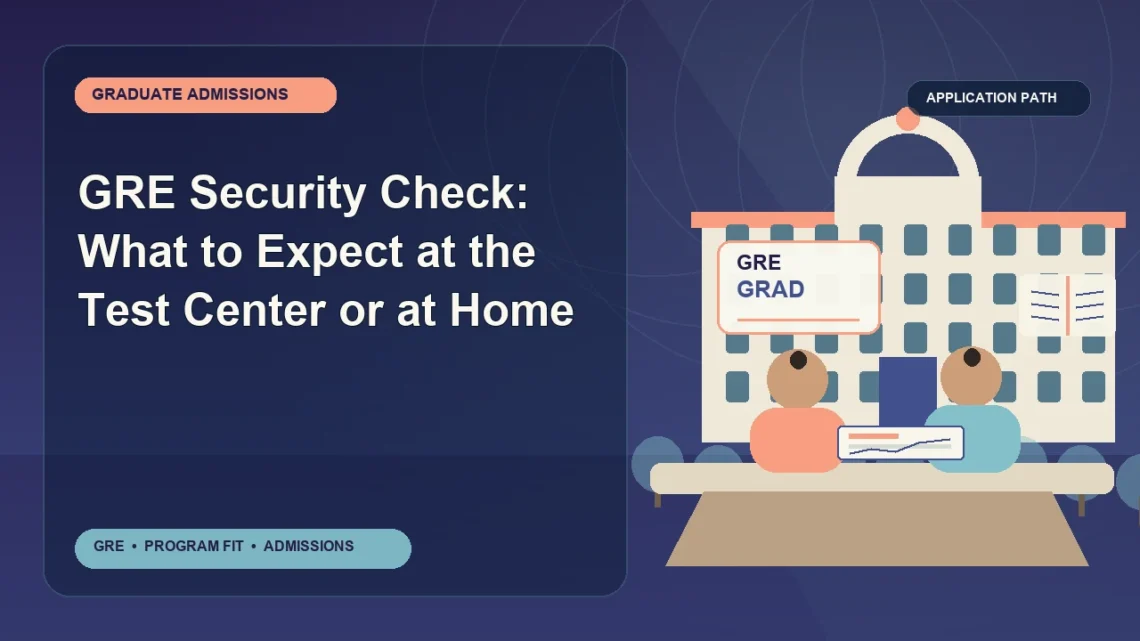
A GRE security check is the set of identity verification and test security procedures used before, during, and sometimes after your exam. These checks help ETS and test administrators confirm that the right person is testing, that prohibited items are not brought into the testing space, and that test conditions remain fair for everyone. If you understand the security process in advance, you are much less likely to face delays, stress, or even denial of entry on test day.
Quick Answer
For the GRE, a security check usually includes verifying your identification, confirming that your registration details match your ID, checking that you do not bring unauthorized items into the testing room, and monitoring the testing environment. The exact procedures can vary depending on whether you take the GRE at a test center or in a remote format such as GRE at Home, and local policies may differ by country. Because procedures can change, always review the latest instructions from ETS before your test date.
Why This Matters
Security procedures are not just administrative formalities. They can directly affect whether you are allowed to test, whether your scores are reported, and whether your testing experience starts smoothly.
A GRE security issue can create problems such as:
- Delayed check-in, which can increase stress before the exam
- Denial of admission if your ID does not meet requirements or your registration record does not match it
- Testing interruptions if prohibited items are found
- Score review or cancellation if ETS identifies possible security violations
For graduate school applicants, this matters because a preventable test-day problem can affect application timelines. If you miss your exam or experience a score delay, you may need to reschedule or adjust your admissions plans.
Main Explanation
What “security check” means for the GRE
In the GRE context, a security check is a broad term that covers multiple steps designed to protect the integrity of the exam. “Test integrity” means the exam is administered in a fair, standardized, and secure way so that scores are meaningful and comparable across test takers.
These checks may include:
- Identity verification using acceptable ID documents
- Review of your registration information
- Visual inspection of personal items
- Collection or storage of prohibited items
- Monitoring of the testing room or at-home environment
- Rules about breaks, communication, and access to materials
ETS, the organization that administers the GRE, uses these procedures to reduce impersonation, unauthorized assistance, cheating, and score irregularities.
How security checks differ by test format
The GRE security experience depends partly on how you test.
At a test center
At a test center, security checks are usually handled by test center staff. You may be asked to:
- Show your identification document
- Sign in or complete check-in steps
- Store personal belongings in a designated area
- Submit to basic test security procedures required at that location
- Follow instructions about what may be taken into the testing room
At home
For a remote exam such as GRE at Home, security procedures are handled through online identity verification and remote monitoring. You may be required to:
- Present identification to the remote proctor
- Use your camera to show your testing area
- Confirm that your desk and workspace are clear of unauthorized materials
- Keep the testing environment compliant throughout the session
Because remote testing requirements can be technical as well as procedural, at-home test takers should carefully review ETS equipment, room, and behavior rules in advance.
What happens during a typical GRE test center security check
While exact procedures vary by location, many test center security checks include the following stages:
- Arrival and check-in
Staff verify that you arrived for the correct exam and session. - ID review
Your identification is checked for validity and compared with your registration details. - Belongings review
You may be told which items must be stored and which items, if any, are allowed in the room. - Security instructions
Staff explain conduct rules, break procedures, and prohibited behaviors. - Ongoing monitoring
The testing room is typically monitored according to ETS and center policies.
Even if you have tested before, do not assume procedures will be exactly the same every time. Test centers may apply security steps differently within ETS rules.
What happens during a typical GRE at Home security check
Remote testing usually involves a more detailed review of your environment because your home is not a controlled test center. The proctor may ask you to complete steps such as:
- Identity confirmation
You present your approved ID to the camera. - Computer and system check
Your device, browser, and connection are reviewed to confirm compatibility. - Workspace scan
You use your camera to show the desk, walls, floor area, and nearby surfaces. - Item removal
You may be asked to remove notes, devices, watches, bags, or other unauthorized materials. - Behavior monitoring
The proctor observes the session and may intervene if there appears to be a policy issue.
This is one reason it is important to prepare your room before test day. A cluttered or noncompliant environment can delay the start of your exam.
Requirements, Rules, and Eligibility
Identification requirements
Identification is one of the most important parts of the GRE security check. In many cases, your ID must be valid, current, and acceptable under ETS policy. Requirements can vary by country, testing format, and citizenship status.
Common points to verify with ETS include:
- Whether your ID type is accepted in your testing location
- Whether the ID must be a passport or whether other government-issued photo ID is allowed
- Whether the name on your registration exactly matches the name on your ID
- Whether expired identification is rejected
International students should pay especially close attention to ID rules, because passport requirements are often stricter outside the United States or for certain testing circumstances.
Important: Do not rely on general internet advice or another student’s experience. Always confirm your own identification requirements directly on the official ETS website.
Registration requirements
Your GRE registration record must generally align with your identification. During a security check, staff or the remote system may compare your registered name and personal details against your ID.
You should review:
- The spelling of your full legal name
- Any middle name or surname formatting used by ETS
- The test date, location, and format
- Special instructions listed in your ETS account or confirmation email
If you notice an error before test day, address it as early as possible through the appropriate ETS process.
Testing requirements
Security checks also cover what is allowed during the exam itself. Although specific rules may vary, testing requirements usually address:
- What personal items are prohibited
- Whether food, drink, phones, or watches must be stored away
- What can be accessed during breaks
- What scratch paper or note-taking materials are authorized
- What conduct is prohibited during the exam
Do not assume that something commonly allowed in school testing is also allowed on the GRE. ETS has its own standardized procedures.
Technical requirements for at-home testing
If you are taking the GRE at Home, the security check includes technical compliance. That means you need more than just a quiet room. You also need to meet current ETS technical standards.
Areas to verify include:
- Computer compatibility
- Operating system requirements
- Browser or secure testing software requirements
- Webcam and microphone functionality
- Internet connection reliability
- Room setup and desk conditions
Technical failure can become a security issue if the proctor cannot properly verify your environment or monitor the session.
Documentation requirements for accommodations
If you have approved testing accommodations, security procedures still apply, but your test-day process may include additional documentation or instructions connected to your approved arrangements.
Students testing with accommodations should verify:
- That ETS has formally approved the accommodation request
- That the correct testing appointment has been scheduled
- Whether any extra paperwork or instructions apply on test day
- Whether the testing location or format differs from standard administration
If you requested accommodations but never received official approval, do not assume the test center can simply adjust your testing conditions on arrival.
Step-by-Step Process
How to prepare for a GRE security check
- Review the official ETS test-day policy page
Look specifically for identification rules, prohibited items, arrival instructions, and format-specific procedures. - Check your registration record
Make sure your name and test details are correct. - Confirm your ID document
Verify that it is acceptable, valid, and unexpired if required by ETS policy. - Read your confirmation email carefully
It may contain location-specific or format-specific instructions. - Plan your arrival or log-in time
Give yourself enough time for check-in, especially if you are unfamiliar with the location or remote setup process. - Limit what you bring
Bring only what is clearly allowed and necessary. - Prepare your testing space if testing at home
Remove notes, books, extra electronics, and anything the proctor could identify as a security concern. - Test your equipment in advance
If taking the exam at home, complete any ETS-recommended system checks ahead of time.
What to do at the test center on test day
- Arrive early
This reduces the chance that a long check-in line or document issue will create panic. - Present your ID exactly as requested
Do not offer alternative documents unless ETS policy allows them. - Follow staff instructions carefully
Security rules are standardized, and arguing at check-in rarely helps. - Store prohibited items as directed
Do not attempt to carry unauthorized items into the room. - Ask a calm, specific question if uncertain
If you are unsure whether an item is allowed, clarify before entering the testing room.
What to do for GRE at Home security screening
- Set up your room early
Clear your desk and nearby surfaces before the check begins. - Log in ahead of time
Do not wait until the exact start time to handle technical setup. - Keep your ID ready
Place it where you can access it immediately. - Follow room scan instructions fully
Move the camera slowly and show the space clearly. - Remove any questioned items right away
If the proctor identifies a problem, comply quickly and politely. - Stay within testing rules after the exam begins
Even small actions that seem harmless can trigger a security concern if they violate remote testing policies.
Common Problems and Solutions
Name mismatch
Problem: The name in your ETS registration does not match the name on your ID.
Why it matters: This is one of the most common reasons a test taker may face a check-in problem or denial of admission.
Solution:
- Check your registration well before test day
- Use your legal name exactly as required by ETS
- If there is an error, contact ETS or follow the official correction process as soon as possible
Expired or unacceptable ID
Problem: You arrive with identification that is expired, damaged, photocopied, or otherwise not accepted.
Solution:
- Confirm your ID type against current ETS policy
- Renew documents early if needed
- Do not assume a student ID, digital copy, or secondary ID will be accepted unless ETS explicitly says so
Arriving with prohibited items
Problem: You bring items that are not allowed in the testing room, such as a phone, smartwatch, notes, or unapproved accessories.
Solution:
- Review the prohibited-items list before test day
- Leave unnecessary valuables at home
- Bring only essentials if possible
At-home room setup issues
Problem: Your desk contains papers, books, extra monitors, or other items that cause the proctor to delay the exam.
Solution:
- Prepare the room the night before
- Use a simple, uncluttered workspace
- Remove anything that could be interpreted as study material or an unauthorized device
Technical failure during remote check-in
Problem: Your camera, microphone, internet connection, or device does not work properly during security screening.
Solution:
- Run all recommended system checks in advance
- Restart your computer before the session if appropriate
- Close unnecessary software and applications
- Use a reliable internet connection and test the webcam and microphone beforehand
Uncertainty about accommodations
Problem: You assume your accommodation will automatically appear on test day, but the official record is incomplete.
Solution:
- Verify approval in your ETS account before the exam
- Review all accommodation-related emails and instructions
- Contact ETS well in advance if anything is unclear
Practical Examples and Scenarios
Scenario 1: Nickname instead of legal name
A student registers as “Alex Chen,” but the passport says “Alexander Chen.” If ETS requires an exact match, the test center may not admit the student until the issue is resolved, and same-day correction may not be possible. The safest approach is to register using the exact legal name shown on the approved ID.
Scenario 2: Passport expired one week before the test
An international applicant assumes the expired passport will still work because the photo is clear and the name matches. If ETS requires a current, valid passport, the student may be turned away. This is why ID should be checked several weeks in advance, not the night before the test.
Scenario 3: At-home desk covered with papers
A GRE at Home test taker logs in with notebooks, sticky notes, and printed vocabulary lists still visible on the desk. The proctor stops the check-in process and asks the student to clear the room. This creates stress and wastes time. A clean workspace prepared ahead of time helps avoid this situation.
Scenario 4: Smartwatch left on during testing
A student forgets to remove a smartwatch. Even if the student does not intend to use it, wearable technology can violate test security rules. The item could trigger a warning, interruption, or more serious review depending on the circumstances and policy.
Scenario 5: Mismatch between accommodation expectations and appointment type
A test taker receives accommodation approval from ETS but schedules the wrong testing format or misunderstands what was approved. On test day, the student realizes the expected arrangement is not in place. Verifying the final appointment details in advance is essential.
Comparison Table
| Security Check Area | GRE Test Center | GRE at Home |
|---|---|---|
| ID verification | Checked by test center staff | Checked remotely by proctor or system process |
| Environment check | Standardized testing room already controlled by center | Your room and desk must be reviewed for compliance |
| Personal item control | Items usually stored in designated area | Items must be removed from the testing area |
| Technical review | Usually minimal for the test taker | Critical, because your own equipment must meet requirements |
| Monitoring | In-person supervision according to center procedures | Remote proctoring and platform-based monitoring |
| Main risk | ID problems, late arrival, prohibited items | Room setup, internet issues, technical noncompliance, behavior flags |
Requirements and Security Checklist
Before test day
- Confirm your test date, time, and format in your ETS account
- Verify your registered name matches your ID
- Check whether your ID document is acceptable and current
- Read the official ETS prohibited-items guidance
- Review test-center or at-home instructions carefully
- Confirm accommodation approval if applicable
- Complete technical checks if taking GRE at Home
On test day
- Bring only what you need
- Keep your ID immediately accessible
- Arrive early or log in early
- Follow all instructions from staff or the remote proctor
- Do not access unauthorized materials during breaks unless ETS policy permits it
- Stay calm if asked to repeat a security step
Frequently Asked Questions
Can I take the GRE if my name on the registration is slightly different from my ID?
Possibly not. Even small differences can matter if ETS requires an exact match. Review current ETS name-matching rules and correct problems before test day.
What kind of ID is accepted for the GRE?
Accepted ID depends on ETS policy, your location, and sometimes your testing format. In many cases, government-issued photo identification is required, and some test takers may need a passport. Always verify the current ETS rules for your situation.
Do GRE security checks happen only before the test starts?
No. Security procedures can apply before, during, and after the exam. Monitoring, break rules, and score review processes are all part of test security.
Are security procedures stricter for GRE at Home?
They are often more detailed in different ways. At-home testing usually requires room inspection, technology checks, and continuous remote monitoring, while test centers rely more on controlled physical conditions.
Can I bring my phone to the test center?
Phones are generally not allowed in the testing room, and rules about storage can vary. Review current ETS and test-center instructions before your exam.
What happens if I fail the security check?
The outcome depends on the issue. You may face a delay, be asked to correct the problem if possible, be denied entry, or have your test session affected in another way under ETS policy.
Will the proctor ask to see my whole room for GRE at Home?
Remote proctors commonly review the testing area to ensure it complies with policy. The exact scope of the room check can vary, so prepare the entire immediate workspace and surrounding area.
Can I wear a watch during the GRE?
Wearable devices can create security issues. Do not assume any watch is allowed. Check the latest ETS prohibited-items guidance before test day.
If I have approved accommodations, do security rules still apply?
Yes. Approved accommodations change testing conditions in specific ways, but standard identity and security procedures still generally apply.
Where should I verify the latest GRE security rules?
ETS is the official source. Use the official ETS GRE website for the most current test-day policies, ID requirements, and remote testing instructions.
Important Notes
- Policies may change. Identification rules, remote testing procedures, and security instructions can be updated over time.
- Country-specific rules may differ. International applicants should review local requirements carefully, especially for ID.
- Test format matters. A rule for a test center may not be identical to a rule for GRE at Home.
- Do not guess about acceptable documents or items. If something is unclear, verify it with ETS before test day.
- Graduate programs do not control GRE security policy. ETS sets GRE testing and security procedures, while universities set admissions requirements.
Final Thoughts
The GRE security check is designed to protect fairness, confirm identity, and maintain valid test conditions. For most students, the process is manageable if they prepare early, verify their ID and registration details, and follow all instructions carefully. Your best next steps are to review the latest ETS test-day guidance, confirm your identification meets current requirements, and prepare your test center arrival plan or at-home testing space well before exam day.