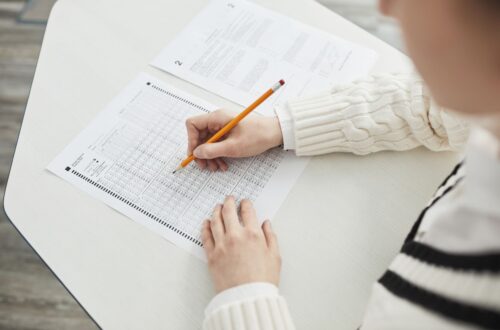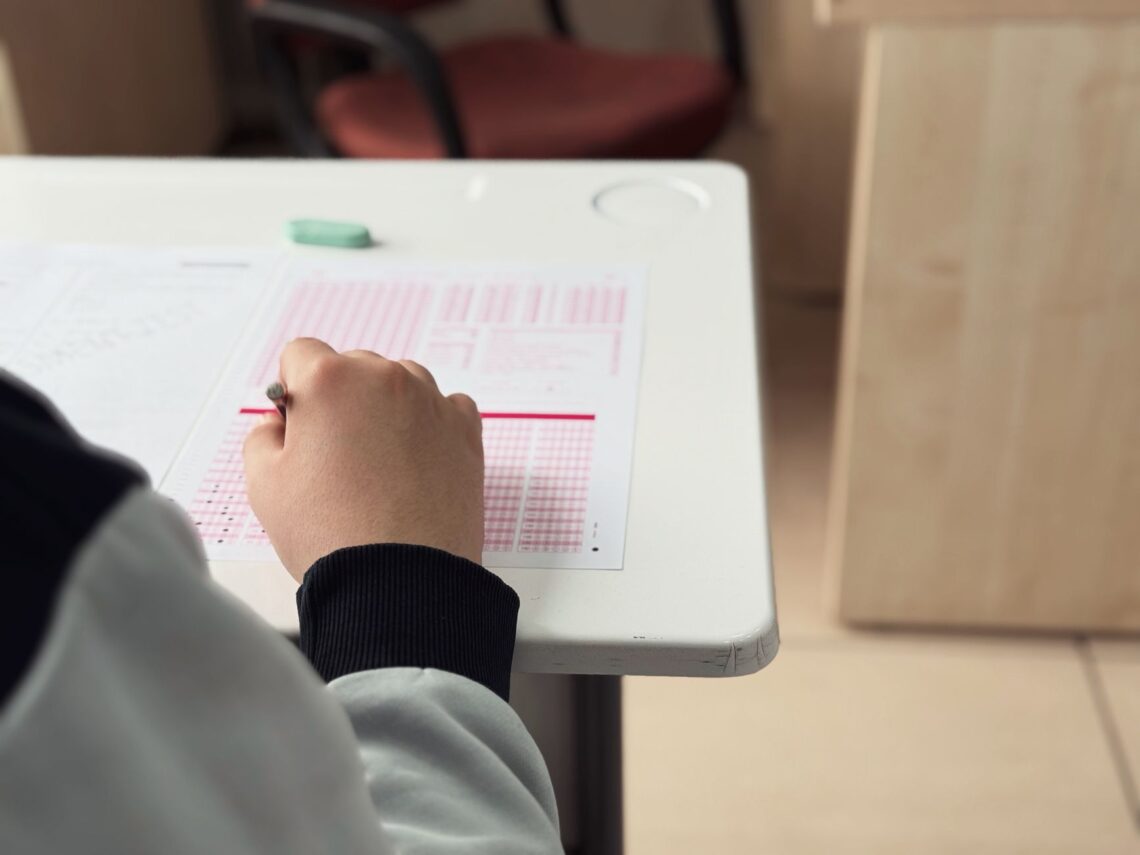
The GRE at home testing environment is the room and setup you use when taking the GRE General Test at home through ETS-approved remote proctoring. It must meet ETS security and technical rules, and the testing space needs to be quiet, private, well lit, and free of unauthorized materials. If your environment does not meet the requirements, ETS may delay your test start, ask you to correct the setup, or deny you entry to the test session.
Why This Matters
Your testing environment is not just a comfort issue. For the GRE at home option, it is part of the test security process and can affect whether you are allowed to start or finish the exam. A room that looks harmless to you may still violate ETS rules if it contains notes, extra devices, people, visible papers, or other restricted items.
Understanding the requirements ahead of time helps you avoid common problems such as last-minute room changes, equipment issues, or being asked to clear your desk during check-in. It also reduces stress on test day, so you can focus on the exam instead of worrying about whether your setup is acceptable.
Quick Answer
The GRE at home testing environment must be a private, quiet, enclosed room with a clean desk or table, stable internet, and approved equipment. You also need to remove prohibited items, close doors, and follow ETS proctor instructions throughout the test. Before test day, verify the latest official requirements on the ETS website, since remote testing policies can change.
What the GRE at Home Testing Environment Includes
When ETS refers to the GRE at home testing environment, it is talking about more than just the room itself. The full setup includes the space where you test, the desk or table you use, your computer and accessories, your internet connection, and everything visible within the camera view.
The physical room
The room should be private and enclosed, meaning it should have walls and a door that can be closed. You should be able to take the test without interruptions from family members, roommates, pets, or visitors. A bedroom, study, or similar enclosed room is usually easier to prepare than a shared living area.
The desk or table
You need a clear work surface that can hold your computer and any approved test materials. The surface should be uncluttered. ETS remote proctors may ask you to show the entire desk area during check-in, so it helps if the surface is easy to scan with your webcam.
The computer and camera view
Your testing environment also includes what the webcam captures. Proctors need to see your face, keyboard, desk area, and surrounding space as required by the test platform. If the camera angle is poor, the proctor may ask you to adjust it before the exam begins.
Main GRE At Home Environment Requirements
ETS publishes the official rules for the GRE at home test, and those rules should always be your primary reference. The exact checklist may be updated, but the following categories are the most important to understand.
1. Privacy and quiet
Your test room should be as quiet as possible, with no interruptions from other people, phones, televisions, music, alarms, or background conversations. Even soft noise can become a problem if the proctor hears it or believes it could interfere with test security.
If you live with other people, tell them not to enter the room and ask them not to talk near the door during your session. If you have pets, arrange for them to stay elsewhere if possible.
2. Closed and secure space
The room should be closed off from the rest of the home. Keep the door shut throughout the test unless the proctor gives specific instructions. Open doors, visible hallways, or shared spaces can create security concerns.
3. Clean desk or table
Your desk should contain only what ETS allows. In most cases, this means your testing device, required accessories, and any permitted scratch materials after they are shown to the proctor. Remove:
- Books
- Loose papers
- Notes
- Study guides
- Cell phones
- Smartwatches
- Headphones unless specifically allowed
- Food or drinks unless specifically allowed by current ETS policy
4. Good lighting
The room should be well lit enough for the proctor to see you clearly through the webcam. Avoid strong backlighting from windows or lamps behind you. Natural light can help, but it should not create shadows that make it hard for the proctor to see your face or workspace.
5. Reliable internet and working equipment
Your environment must support a stable internet connection and a functioning computer that meets ETS technical requirements. Remote testing depends on both the physical room and the technology working smoothly. If your Wi-Fi is unstable, the entire test session may be disrupted.
6. Appropriate camera placement
You may need to position your computer so the webcam clearly shows your face, shoulders, and desk area. A laptop built-in camera may work if it meets ETS rules, but some test takers benefit from an external webcam if permitted and supported by the testing platform. Check the official ETS requirements before test day.
Requirements, Rules, and Eligibility
Identification requirements
For GRE at home testing, your identification must match the information in your ETS account and registration. The exact ID rules are especially important because remote proctoring still requires identity verification.
In general, you should be prepared to present valid, acceptable identification that matches ETS requirements for your country and test location. A passport is often the most common form of ID for international test takers, but ETS rules vary by region. Always confirm the accepted ID types on the official ETS website before test day.
- Your name on the registration must match your ID exactly or as closely as ETS allows.
- Your ID must be current and not expired, unless ETS specifically says otherwise.
- You may need to show the front and back of the ID to the proctor.
Registration requirements
To take the GRE at home, you must register through ETS and select the at-home option if it is available in your region. You cannot simply decide on test day to switch to at-home testing unless ETS permits a change through its official process.
During registration, make sure your personal details are accurate, especially your name, date of birth, and contact information. These details are used during identity verification and score reporting.
Technical requirements
The GRE at home environment depends on approved technology. ETS typically requires a compatible computer, a working microphone, webcam, speakers, and internet connection. You may also need to install specific software or browser components before the test.
Common technical expectations include:
- A desktop or laptop computer that meets ETS system requirements
- A functional webcam and microphone
- Stable internet service
- A supported operating system and browser setup
- No unauthorized software, background applications, or remote-access tools running during the test
Because technical requirements can change, check ETS system requirements well before test day, not just the night before.
Testing requirements
During the exam, you must follow the same test security expectations that apply to all GRE test takers, plus any added rules for remote testing. That includes staying visible on camera, remaining in the designated room, and following proctor directions.
You may be required to:
- Show your room and desk before the test starts
- Keep your hands visible when instructed
- Avoid talking unless directed to do so
- Remain alone in the room
- Follow all restrictions on devices, notes, and breaks
Eligibility rules
Eligibility for GRE at home testing depends on ETS availability in your location and whether your device and environment meet the requirements. Some countries or regions may have different testing options. If you are an international applicant, confirm whether at-home testing is available in your country and whether any local restrictions apply.
Documentation requirements
In addition to identification, you may need to prepare other documentation or information for check-in. This can include your ETS account details, registration confirmation, and any instructions ETS provides before test day. Keep these accessible, but not in a way that places restricted materials near your workspace.
How to Prepare the GRE At Home Testing Environment
Step 1: Choose the right room
Select a room that is private, quiet, and easy to control for several hours. A room with a door that closes is usually best. Avoid spaces with frequent traffic, such as kitchens, living rooms, or shared study areas.
Step 2: Remove all prohibited items
Before test day, clear the room of anything that could violate testing rules. This includes visible books, notes, electronics, and anything that could be used for unauthorized help.
A useful rule is this: if you do not need it for the GRE at home test, move it out of the room.
Step 3: Set up the desk or table
Make sure the surface is large enough for your computer and any required materials. Leave the rest of the area as empty as possible. If you use a lamp, place it so it improves visibility without creating glare on the screen or shadows on your face.
Step 4: Test your technology
Run the ETS system check if available. Test your camera, microphone, speakers, and internet connection. Restart your computer ahead of time, close unnecessary apps, and make sure your device can stay powered for the full test.
Step 5: Prepare your ID and login information
Put your ID in a safe, easy-to-reach place. Confirm your ETS login credentials, registration details, and any launch instructions so you do not waste time looking for them on test day.
Step 6: Plan for interruptions
Tell household members about your test schedule. Silence phones and alarms. Arrange childcare, pet care, or other responsibilities in advance. The goal is to reduce the chance of any interruption once the test begins.
Step 7: Review ETS instructions again the day before
Since policies can change, review the latest ETS guidance the day before your test. Check the rules for ID, permitted items, check-in procedures, and system requirements.
Common Problems and Solutions
Name mismatch on ID and registration
Problem: The name in your ETS registration does not match your identification exactly.
Solution: Update your ETS account details as soon as possible and follow ETS instructions for correcting registration information. Do not assume the proctor will overlook small differences. Even minor mismatches can cause delays or denial of entry.
Expired or unacceptable ID
Problem: You realize your ID is expired or not accepted for your region.
Solution: Check ETS identity rules immediately and prepare an acceptable alternative. If you do not have one, contact ETS support before test day to ask about your options.
Room is too noisy
Problem: People or pets make noise during the exam.
Solution: Move to a quieter room if possible, schedule your test when the household is calmer, and use clear signs or communication to keep others away. If you cannot control the noise, consider whether home testing is the right option for you.
Clutter in the camera view
Problem: The proctor sees books, papers, or other items in the room.
Solution: Remove everything from the desk and visible background before check-in. Clean the room from the camera perspective, not just from your point of view sitting at the desk.
Internet connection drops
Problem: Your connection becomes unstable during the session.
Solution: Use the most stable connection available, ideally a strong home network. Avoid heavy streaming, downloads, or multiple users sharing the connection during the test window. If your internet is unreliable, a test center may be a safer choice.
Proctor asks for setup changes
Problem: The proctor asks you to move your camera, clear your desk, or show the room more fully.
Solution: Follow instructions exactly and remain patient. Proctors are checking security compliance, not trying to inconvenience you. Having your space ready ahead of time makes these requests easier to handle.
Unexpected interruptions
Problem: Someone enters the room or a device starts ringing.
Solution: Silence all electronics and let others know not to disturb you. If an interruption happens anyway, follow the proctor’s instructions immediately. Depending on the situation, the test could be paused or terminated.
Practical Examples and Scenarios
Example 1: A shared apartment
A student living with roommates wants to take the GRE at home in a shared apartment. The student chooses a bedroom with a closing door, removes all study materials from sight, posts a note on the door, and asks roommates not to knock or enter. This setup is much better than testing in the living room, where other people may pass through during the exam.
Example 2: A cluttered desk
Another student has a home office desk covered with old class notes, a notebook, and a tablet. Even if the student plans not to use those items, they are still visible to the camera. Before test day, the student clears the desk completely and keeps only the approved computer setup in view. That reduces the chance of a proctor question or delay.
Example 3: A name mismatch
A test taker registers with a nickname, but the passport shows the full legal name. On test day, the proctor notices the mismatch and must verify whether the ID is acceptable. This can delay check-in or create a problem if ETS rules require an exact match. The safer approach is to register with the legal name exactly as it appears on the accepted ID.
Example 4: Weak Wi-Fi
A student plans to test from a bedroom far from the home router. During the system check, the connection appears unstable. Instead of hoping it will work, the student moves closer to the router, uses a wired connection if allowed and available, or reschedules to a better setup. That preparation can prevent a test-day interruption.
GRE At Home vs Test Center Environment
| Feature | GRE At Home | Test Center |
|---|---|---|
| Location | Your home or another approved private location | Official ETS-authorized test center |
| Room setup | You are responsible for privacy, lighting, and desk clearance | Test center staff provide the testing room and equipment |
| Technology | Your computer, webcam, microphone, and internet must meet ETS requirements | Test center equipment is provided by the site |
| Environment control | You must control noise, interruptions, and room security | Center staff control the room environment |
| Best for | Students with a quiet private space and reliable technology | Students who prefer a standardized setting or have unreliable home internet |
GRE At Home Environment Checklist
Use this checklist before your test day:
- Private room with a closing door
- Quiet environment with no expected interruptions
- Clean desk or table
- Approved computer, webcam, microphone, and speakers
- Stable internet connection
- Proper lighting with your face clearly visible
- Accepted ID ready and unexpired
- ETS registration details confirmed
- All prohibited items removed from the room
- Household members informed about your test time
- ETS system check completed if available
Frequently Asked Questions
Can I take the GRE at home in a bedroom?
Yes, a bedroom can work well if it is private, quiet, and meets ETS requirements. The room should have a door, good lighting, and a clear desk or table.
Can I have papers on my desk during the GRE at home test?
Generally, no, unless ETS explicitly allows certain materials and the proctor approves them. Keep the desk clear of notes, books, and loose papers unless official instructions say otherwise.
Do I need a webcam for the GRE at home test?
Yes, remote proctoring requires a working webcam so the proctor can monitor your room and identity during the session. Check the ETS technical requirements for current specifications.
What happens if someone enters the room during my test?
This can create a test security issue. Follow the proctor’s instructions immediately. Depending on the situation, ETS may pause or end the test.
Can I use earbuds or headphones?
Usually, no, unless ETS specifically permits a particular accessory. Remote testing often has strict rules about audio devices. Review the current ETS guidance before test day.
What if my internet disconnects?
Reconnect as soon as possible and follow any on-screen or proctor instructions. A serious connection issue may interrupt or end the test. This is one reason to use a stable connection and a quiet network environment.
Can I choose any room in my home?
Not necessarily. The room must meet ETS privacy, security, and technical requirements. A shared or noisy space is usually not a good choice.
Should I test in a room with a lot of windows?
Only if the lighting does not create glare, shadows, or visibility problems. If a window causes backlighting, close blinds or choose a different room.
Where should I check the official rules?
Always check the official ETS website for the latest GRE at home requirements, ID rules, and technical specifications. ETS is the authoritative source, and policies can change.
Important Notes
The GRE at home testing environment rules can change, and specific instructions may vary by region, device, or testing platform updates. Do not rely only on old forum posts, third-party summaries, or advice from other test takers.
International applicants should pay special attention to identity rules, local availability, and accepted ID documents. The easiest way to avoid a test-day problem is to confirm everything directly with ETS before your scheduled exam.
If your home environment is not fully controllable, a test center may be the better choice. The goal is to choose the testing format that gives you the highest chance of a smooth, uninterrupted exam.
Final Thoughts
The GRE at home testing environment must be private, quiet, secure, and technically ready for remote proctoring. The most common problems are preventable: name mismatches, cluttered desks, weak internet, poor lighting, and interruptions from other people or devices.
Before test day, review the official ETS requirements, prepare your ID and equipment, and make your room as simple and distraction-free as possible. A well-prepared environment can help the test start smoothly and let you focus on your GRE performance instead of avoidable logistics.